- 7 Days Full Access (Physical & Virtual)
- Globally Recognised Certificate
- Physical & Virtual Classes
- Student Portal (LMS)
- Job Placement Assistance
- Internship Placement Assistance
- Mentorship

Develop professional DevOps skills in automation, continuous integration and delivery, cloud infrastructure, containerization, monitoring, and deployment. Through practical projects and industry-focused training, learners will gain the skills to build, deploy, manage, and maintain reliable and scalable software systems.

Develop professional DevOps skills in automation, continuous integration and delivery, cloud infrastructure, containerization, monitoring, and deployment. Through practical projects and industry-focused training, learners will gain the skills to build, deploy, manage, and maintain reliable and scalable software systems.
26 weeks · 48 classes · 208 hours of live lessons · portfolio projects
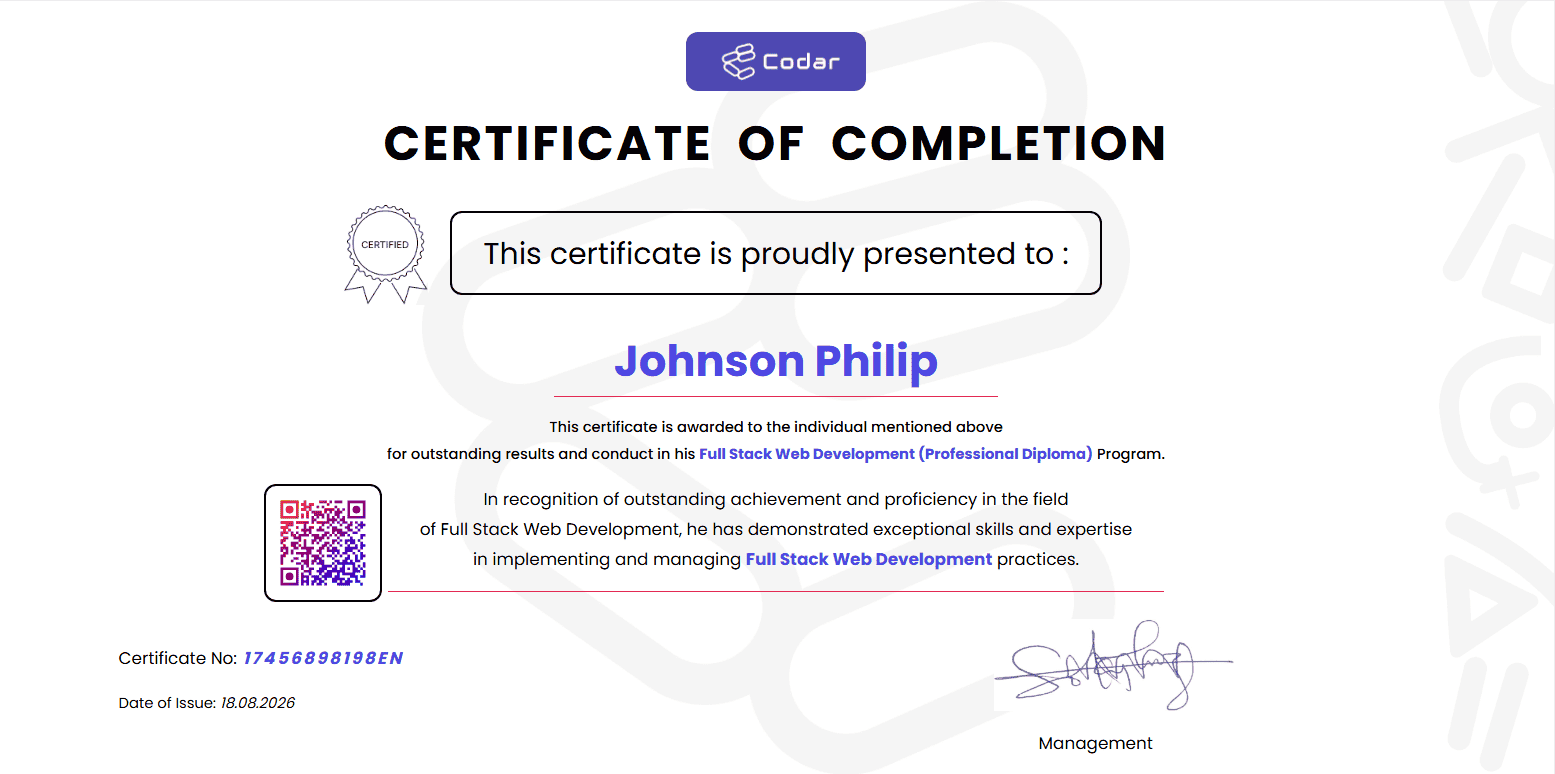
Sample certificate of completion
Every graduate receives a globally recognised certificate, backed by our accredited partners.


From corps members to professionals, market traders to medical doctors — see how Codar Tech Africa graduates are rewriting their futures.
"I joined Codar straight after NYSC with zero coding experience. Within 6 months I had a frontend role at a Lagos fintech earning ₦450k/month. The instructors were incredible — Codar literally changed my life."

"As a 38-year-old banker, I was nervous about switching careers. Codar's flexible online classes and patient mentors made it possible. I'm now a Data Analyst at GTBank — and earning more than I ever did in my old role."

"The UI/UX bootcamp was world-class. I now work with clients in the US, UK, Canada and across Africa from my Lagos apartment. Earning in dollars while paying my bills in Naira changed everything for my family."

"Codar's Cyber Security programme is intense — but worth every kobo. I'm now a Security Engineer at MTN Nigeria, working on systems that protect millions of customers. The hands-on labs prepared me for the real world."

"I trained 22 engineers through Codar's corporate programme. ROI was visible within 3 months — better code quality, faster delivery and happier devs. I recommend them to every CEO I meet."

"I'm 19 and still in university. Codar's evening classes fit perfectly with my schedule. By the time I graduate, I'll already have 2 years of paid freelance backend work under my belt. The platform pays for itself."

Every Codar class is taught live by senior tech professionals with 7+ years of industry experience at firms like Microsoft, Flutterwave, MTN, and Andela. You can ask questions, get instant feedback, and learn from someone who's actually shipped what they're teaching.
Theory is empty without practice. Every Codar student builds 8–12 real projects per course — e-commerce platforms, dashboards, security tools, ML models — work you can show employers on day one of your job hunt.
Every student is paired with a personal mentor — a working engineer or designer who reviews your code, supports your growth, and helps you navigate your first tech job. This is rare in African tech education.
We don't just teach you to code. We get you hired. Our career services team handles CV reviews, mock interviews, and direct introductions to our 5+ hiring partners — including GTBank, Flutterwave, Andela, and global firms.
Our fees are in Naira with instalment plans. Our class schedules respect Nigerian work hours. Our case studies use Nigerian businesses. Our examples reference Nigerian banks. Everything about Codar is built with the African student in mind.
Earn a Codar Tech Africa certificate trusted by employers. We also offer professional certifcations from American Council of Training and Development and UK International Qualifications. Also, we prepare students for global certifications: AWS Certified, Google Cloud, Meta, CompTIA Security+, and more.
Students Trained
Tech Courses Offered
Job Placement Rate
Hiring Partners
A closer look at the spaces where you'll learn, build and grow.
An aerial look at our facilities — classrooms, workspaces and study areas built for focus.


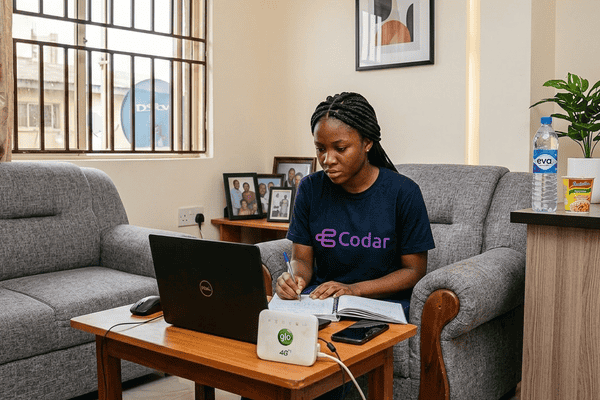
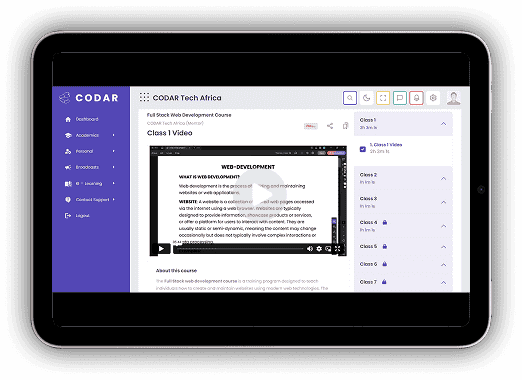
Can't make it to a physical campus? Join our live virtual classes and get the exact same instruction, mentorship and certificate as our in-person cohorts — from wherever you are.
New cohorts commence every month across both our online and physical campuses. Secure your spot today and take the next step toward your tech career.
Explore our wide range of professional courses, choose your preferred program, and follow the enrollment instructions to complete your payment and reserve a seat in your desired cohort.
Our graduates work at Africa's most innovative companies and at global tech firms in the US, UK, Canada & Europe. With 85% job placement rate, you're not just learning — you're launching a career.
Placement rate within 6 months
Average graduate starting salary
Active hiring partner companies
Full One Week Access To All Our Facilities.
Full One Month Access To All Our Facilities.
Uninterrupted Access To All Our Facilities.
Not sure which learning plan is right for you? Our admissions team will help you pick the best fit based on your schedule, location and learning style. +(234) 812 317 7763 · Talk to admissions →